

TopSci.net Tools
Sixty-plus free everyday tools for images, PDFs, text, code, colour and maths, all running entirely in your browser. Your files never leave your device.
Visit topsci.net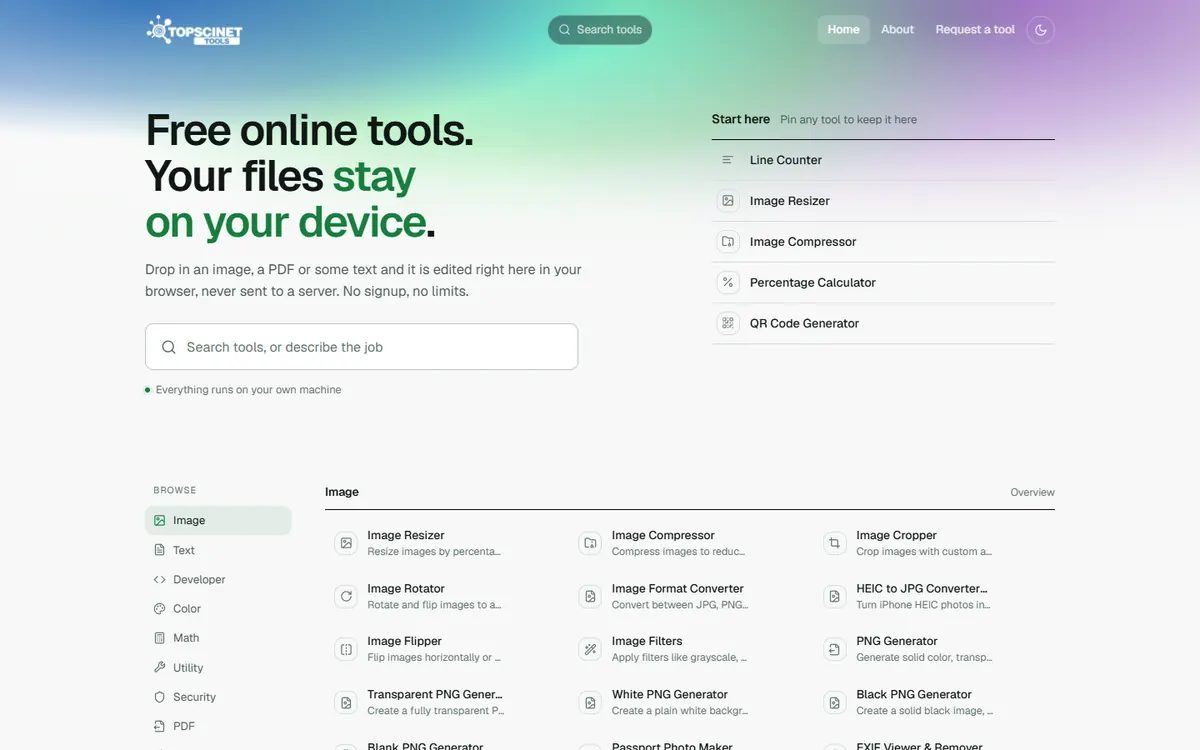
What TopSci.net Tools is
Most free online tools work by uploading your file to someone else's server, processing it there and sending it back. That is fine for a holiday photo. It is not fine for a passport scan, a contract PDF or an unpublished figure from a paper under review.
TopSci.net does the work on your own computer instead. Every tool uses what is already built into your browser: the canvas for images, the cryptography API for hashes and encryption, a PDF engine for documents. The file is processed locally and never sent anywhere. There is no sign-up, no upload and no watermark.
The collection started as a few tools that researchers on TOPSCINET kept asking for: resizing a profile photo, making a QR code for a conference poster, converting an image format. It has grown into more than sixty tools, and users can request new ones.
Key features
Image tools
Resize, compress, crop, rotate, flip and convert (JPG, PNG, WebP, HEIC), apply filters, make passport photos, and view or remove EXIF metadata, including GPS location.
PDF tools
Merge PDFs, split them, reorder or rotate pages, turn images into a PDF and export PDF pages as images, without uploading the document.
Text tools
Word and line counters, case conversion, find and replace with regular expressions, a diff checker, duplicate-line removal, reading-time estimates and word-frequency analysis.
Developer tools
JSON formatting, Base64 and URL encoding, a regex tester, hash and UUID generators, a JWT decoder, CSV↔JSON conversion and a favicon generator.
Colour and maths
A colour picker, palette and gradient generators, a WCAG contrast checker, a scientific calculator, unit converters, loan/EMI and zakat calculators.
Security and utilities
A password generator and strength checker, AES text encryption, a QR code generator, time-zone and timestamp converters, timers and an age calculator.
Who it is for
Researchers and students. Preparing figures, merging PDFs for a submission, counting words against a limit, or making a QR code for a poster.
Anyone handling sensitive files. Stripping GPS data from a photo or editing an ID document without trusting it to an unknown server.
Developers. Quick formatting, encoding and decoding jobs, without pasting tokens or data into a third-party service.
How to use it
- 1
Open topsci.net and search for the job you need, for example “compress image” or “merge pdf”.
- 2
Drop your file into the tool. It is processed on your device, so there is nothing to upload.
- 3
Download the result. Pin the tools you use most to keep them on your start screen.
Frequently asked questions
Are my files really not uploaded?
Yes. The tools run in your browser using its built-in image, PDF and cryptography engines. The file is read and processed on your device and the result is saved straight back to it.
Do I need an account?
No. Every tool is free to use with no sign-up and no usage limits.
Can I suggest a tool?
Yes. Use the Request a tool link on the site. Several of the current tools started as user requests.